Table of Contents
- What Is a Smart TV Box?
- How Does a Smart TV Box Work?
- Smart TV Box vs Smart TV
- Types of Smart TV Boxes
- Best Smart TV Boxes in 2024
- Using a Smart TV Box for IPTV
- How to Set Up a Smart TV Box
- Legal Considerations
- Conclusion
- Frequently Asked Questions
🚀 Stop Overpaying for TV — Save Up to 80% Today!
Try IPTV With Subscription – 33,000+ Channels + 140,000 Movies & Series.
👉 View Plans & Pricing
What Is a Smart TV Box?
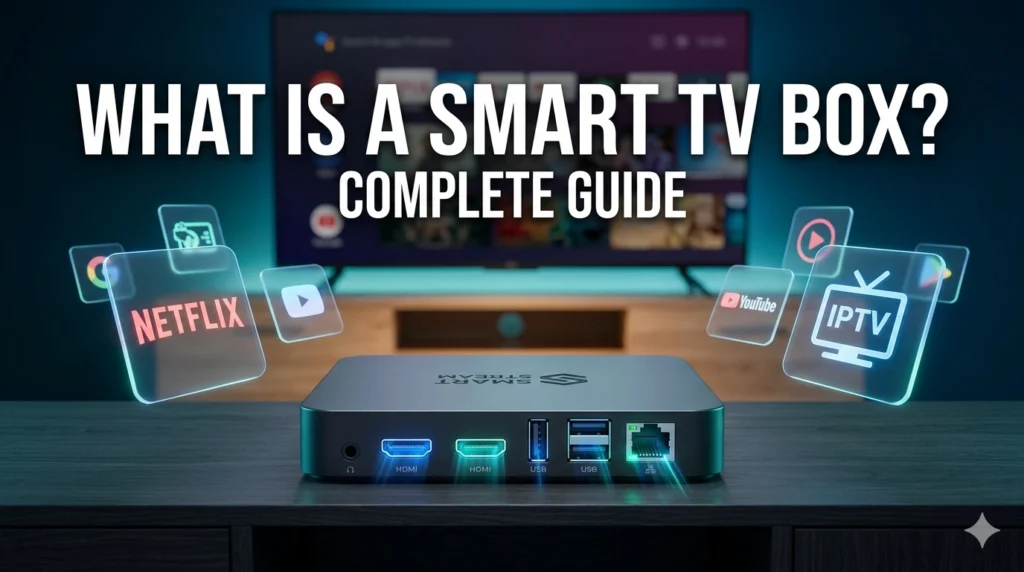
A smart TV box is a compact electronic device that connects to your television and adds smart streaming functionality to any TV — even older models that don’t have built-in internet capabilities. Essentially, it transforms a basic “dumb” TV into a fully featured smart TV.
Also known as an Android TV box, streaming box, or media box, a smart TV box runs on an operating system (typically Android TV or a variation of it), connects to your home internet via Wi-Fi or Ethernet, and gives you access to apps, streaming services, and content from across the internet — all on your big screen.
Smart TV boxes are popular among cord-cutters, IPTV users, and anyone looking to upgrade their viewing experience without buying a brand-new television. Learn more about streaming media devices on Wikipedia.
How Does a Smart TV Box Work?
A smart TV box works by connecting to your TV’s HDMI input and to your home internet connection. Once connected, it runs its operating system independently of your TV — essentially functioning as a small computer dedicated to streaming media.
Here’s the basic flow:
- Internet connection: The box connects to your Wi-Fi router or via Ethernet cable.
- Processing: The box’s CPU and RAM run the operating system and apps.
- Output: Video and audio are sent to your TV via the HDMI connection.
- Control: You control everything using the included remote control (and sometimes a smartphone app).
Modern smart TV boxes support 4K, HDR, Dolby Atmos audio, and 60fps video playback. They can run streaming apps like Netflix, YouTube, and Disney+, as well as IPTV players that connect to a live TV subscription. Explore the IPTV channel list to see what’s available.
Smart TV Box vs Smart TV
A common question is whether a smart TV box is better or worse than a smart TV. Here’s a breakdown:
| Feature | Smart TV Box | Built-in Smart TV |
|---|---|---|
| Cost | Low (£30–£150) | Higher upfront TV cost |
| App updates | Frequent, independent | Depends on manufacturer |
| Performance | Often faster | Variable by brand/year |
| Compatibility | Works with any HDMI TV | Fixed to one TV |
| Portability | Take it anywhere | Not portable |
| Longevity | Easily upgradeable | Tied to TV lifespan |
The key advantage of a smart TV box is flexibility — you can upgrade your streaming box without replacing your TV, and you can take it with you to any TV with an HDMI input.
🎬 Turn Any TV Into a Streaming Powerhouse!
Pair your smart TV box with IPTV With Subscription for 33,000+ channels & 140,000 titles.
👉 View IPTV Plans
Types of Smart TV Boxes
There are several categories of smart TV box to choose from:
Android TV Boxes
These run the official Android TV operating system and have access to the Google Play Store. They support voice search via Google Assistant and work natively with Google services. Examples include the NVIDIA Shield TV and Xiaomi Mi Box.
Amazon Fire TV Devices
Amazon’s Fire TV range (including the Fire TV Stick and Fire TV Cube) runs a customised version of Android. It’s optimised for Amazon’s ecosystem and Alexa voice control, and supports sideloading of third-party apps including IPTV players.
Apple TV
Apple’s premium streaming box runs tvOS and is best suited for users within the Apple ecosystem. It supports AirPlay for seamless iPhone/iPad mirroring.
Roku Boxes
Roku devices run the Roku OS and are known for their extremely simple interface. They offer a wide app selection and are popular in the US and UK markets.
Generic Android Boxes
Unbranded or budget Android boxes offer the most flexibility for IPTV streaming and sideloading, though they vary significantly in build quality and performance. These are popular among IPTV users for their open Android environment.
Best Smart TV Boxes in 2024
Here are the top smart TV boxes available in 2024 based on performance, value, and IPTV compatibility:
- Amazon Fire TV Stick 4K Max – Best budget pick for IPTV. Supports 4K, Wi-Fi 6, and easy sideloading of IPTV apps.
- NVIDIA Shield TV Pro – Best performance. Ideal for power users and 4K HDR streaming.
- Apple TV 4K (3rd Gen) – Best for Apple ecosystem users. Premium build, AirPlay 2 support.
- Xiaomi Mi Box S – Best budget Android TV box. Official Android TV OS with Google Play access.
- Amazon Fire TV Cube – Best for Alexa integration. Hands-free voice control and powerful performance.
All of the above devices are compatible with IPTV With Subscription via IPTV player apps available on their respective platforms.
Using a Smart TV Box for IPTV
One of the most popular uses of a smart TV box is as an IPTV streaming device. IPTV (Internet Protocol Television) delivers live TV channels, sports, and on-demand content via your internet connection — and a smart TV box provides the perfect hardware to receive and display this content.
To use IPTV on your smart TV box, you need:
- A reliable IPTV subscription (such as IPTV With Subscription)
- An IPTV player app (IPTV Smarters Pro, TiviMate, or Perfect Player)
- A stable internet connection (10 Mbps minimum for HD)
Once configured, your smart TV box becomes a complete entertainment hub — live sports, international channels, movies, and series, all accessible from one device without the need for cable or satellite contracts.
How to Set Up a Smart TV Box
- Connect to TV: Plug the smart box into your TV’s HDMI port.
- Power on: Connect the box to its power adapter and switch on.
- Connect to Wi-Fi: Follow on-screen instructions to join your home network.
- Sign in: Log in to your Google, Amazon, or Apple account as required.
- Install IPTV player: Download your preferred IPTV app from the app store.
- Enter credentials: Input your IPTV subscription details to activate channels.
- Start streaming!
The entire process takes 10–15 minutes for most users. Contact us via the IPTV With Subscription contact page if you need help setting up your device.
Legal Considerations
A smart TV box itself is a perfectly legal device. However, the legality of IPTV depends entirely on whether your provider is licensed to distribute the content they offer. Always use a legitimate, licensed IPTV service and read the terms and conditions before subscribing.
📺 Smart TV Box + IPTV = The Ultimate Streaming Setup!
IPTV With Subscription – 33,000+ live channels, sports & 140,000 movies. Works on any smart box.
👉 Get Your Subscription
Conclusion
So, what is a smart TV box? It’s a compact, affordable device that unlocks the full potential of any television — turning it into a streaming powerhouse capable of accessing thousands of apps, services, and IPTV channels. Whether you choose an Amazon Fire TV Stick, NVIDIA Shield, or any other model, pairing your smart TV box with a premium IPTV subscription from IPTV With Subscription delivers the ultimate home entertainment experience.
🚀 Stop Overpaying for TV — Save Up to 80% Today!
Try IPTV With Subscription – 33,000+ Channels + 140,000 Movies & Series.
👉 View Plans & Pricing
Frequently Asked Questions
Do I need a smart TV to use a smart TV box?
No. A smart TV box works with any television that has an HDMI input — including older non-smart TVs. The box provides all the smart functionality independently of the TV.
What is the difference between a streaming stick and a smart TV box?
A streaming stick (like Amazon Fire Stick) plugs directly into the HDMI port and is ultra-portable. A TV box sits next to your TV and typically offers more processing power, storage, and connectivity ports.
Can a smart TV box replace cable TV?
Yes. Paired with an IPTV subscription, a smart TV box can fully replace cable or satellite TV — providing live channels, sports, movies, and on-demand content at a fraction of the cost.
Does a smart TV box slow down with age?
Like any device, older smart TV boxes may struggle with newer apps or higher-resolution content as time passes. However, they typically remain functional for 3–5 years before needing an upgrade.
Which is the best smart TV box for IPTV?
The Amazon Fire TV Stick 4K Max is the best value option for IPTV. For maximum performance, the NVIDIA Shield TV Pro is the top choice. Both support all major IPTV player apps.