Table of Contents
- What Is IPTV Smarters Pro?
- Why Use Firestick for IPTV?
- How to Download IPTV Smarters Pro on Firestick
- How to Activate Smarters Pro With Your IPTV Subscription
- Best Settings for Smooth Streaming
- Troubleshooting Common Issues
- IPTV Smarters Pro vs Other Players
- Legal Notice
- Conclusion
- Frequently Asked Questions
🚀 Stop Overpaying for TV — Save Up to 80% Today!
Try IPTV With Subscription – 33,000+ Channels + 140,000 Movies & Series.
👉 View Plans & Pricing
What Is IPTV Smarters Pro?
IPTV Smarters Pro is one of the most popular IPTV player applications available for streaming live television, movies, and on-demand content. It supports M3U playlists and Xtream Codes API, making it compatible with virtually every major IPTV subscription provider on the market today.
Unlike generic media players, IPTV Smarters Pro offers a polished, TV-friendly interface designed specifically for IPTV streaming. It organizes your channels into categories, supports Electronic Programme Guide (EPG), and even allows multiple user profiles under a single account.
The app is available on Android, iOS, Android TV, and of course Amazon Firestick — which is why learning how to download IPTV Smarters Pro on Firestick has become such a widely searched topic among cord-cutters.
Why Use Firestick for IPTV?
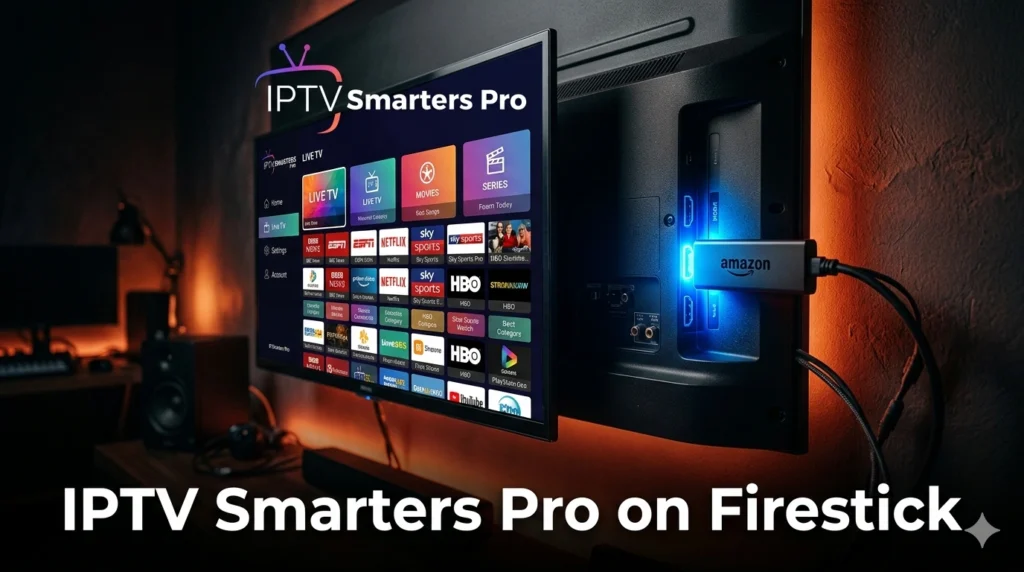
Amazon Fire TV Stick is arguably the most accessible streaming device on the market. It plugs directly into your TV’s HDMI port, runs on a modified Android OS, and supports a wide range of third-party applications — including IPTV players.
Here’s why the Firestick is a top choice for IPTV users:
- Affordable hardware – Fire Sticks are budget-friendly and widely available.
- Easy sideloading – Unlike Apple TV, Firestick allows you to install apps from outside the official store.
- Voice control – Alexa integration lets you switch channels or search content hands-free.
- Portability – Take it anywhere and plug it into any HDMI TV.
Once you know how to download IPTV Smarters Pro on Firestick, you unlock access to thousands of live channels and on-demand libraries from a single, inexpensive device. Learn more about Internet Protocol Television on Wikipedia.
How to Download IPTV Smarters Pro on Firestick
There are two main methods to install IPTV Smarters Pro on your Firestick: directly from the Amazon App Store, or via sideloading using the Downloader app. We’ll cover both.
Method 1: Install From the Amazon App Store
- On your Firestick home screen, press the Search icon (magnifying glass).
- Type “IPTV Smarters Pro” using the on-screen keyboard.
- Select the app from the results list.
- Click Get or Download to install.
- Wait for the installation to complete, then click Open.
Tip: If you can’t find it in the store, it may have been temporarily removed. Use Method 2 in that case.
Method 2: Sideload Using Downloader App
- Go to Settings → My Fire TV → Developer Options.
- Enable Apps from Unknown Sources and ADB Debugging.
- Install the Downloader app from the Amazon App Store.
- Open Downloader and enter the direct APK URL for IPTV Smarters Pro.
- Download and install the APK file.
- Once installed, open the app and begin setup.
This is the most reliable method for installing IPTV Smarters Pro on Firestick when the Amazon store listing is unavailable. Check our channel list to see what’s available with your subscription.
🎬 Ready to Stream? Get Your IPTV Subscription Now!
33,000+ live channels, sports, movies & series. No contracts. Cancel anytime.
👉 See Pricing Plans
How to Activate Smarters Pro With Your IPTV Subscription
After you’ve completed the download and installation process, the next step is connecting your IPTV provider credentials. This is where your subscription details come in.
When you open IPTV Smarters Pro on Firestick for the first time, you’ll see a login screen offering several options:
- Login with Xtream Codes API – Enter your server URL, username, and password provided by your IPTV service.
- Login with M3U URL – Paste the M3U playlist link sent by your provider.
- Login with External Player – For advanced users with custom setups.
For most users of IPTV With Subscription, the Xtream Codes method is recommended as it gives you full access to EPG, VOD, and live channels in an organized interface. Your login credentials will be emailed to you immediately after purchase on the subscription plan page.
Best Settings for Smooth Streaming
Once your IPTV service is connected inside IPTV Smarters Pro, optimizing a few key settings will dramatically improve your viewing experience.
Recommended Playback Settings
- Player Engine: Use the built-in ExoPlayer for most streams. Switch to VLC for older or stubborn streams.
- Buffer Size: Increase buffer to 10–15 seconds to prevent mid-stream freezing.
- Stream Format: Prefer HLS (m3u8) over RTMP when both are available.
Network Optimization
A stable internet connection is critical for IPTV streaming. For HD content, aim for a minimum of 10 Mbps download speed. For 4K channels, 25 Mbps or higher is recommended. If possible, use a wired Ethernet adapter with your Firestick rather than relying solely on Wi-Fi.
Using a VPN can also help bypass ISP throttling that affects IPTV streams — though it does add slight latency. Choose a fast VPN server geographically close to your IPTV provider’s servers for best results.
Troubleshooting Common Issues
Even after successfully completing how to download IPTV Smarters Pro on Firestick, you may encounter occasional issues. Here are the most common problems and their solutions:
App Crashes on Launch
Clear the app cache by going to Settings → Applications → Manage Installed Applications → IPTV Smarters Pro → Clear Cache. Restart the app.
Channels Not Loading
This is usually a server-side issue with your IPTV provider. Check your internet speed, verify your credentials are correct, and contact your provider’s support team if the issue persists.
Buffering and Freezing
- Switch player engine from ExoPlayer to VLC or vice versa.
- Reduce stream quality temporarily.
- Restart your router and Firestick.
- Use a wired connection if on Wi-Fi.
EPG (Guide) Not Showing
Make sure your IPTV provider supports EPG and that the EPG URL is correctly entered in the app settings. Refresh the EPG data manually from the settings panel.
IPTV Smarters Pro vs Other Players
There are several IPTV player apps available for Firestick. Here’s how IPTV Smarters Pro stacks up against the competition:
| Player | Free | EPG Support | Xtream API | VOD |
|---|---|---|---|---|
| IPTV Smarters Pro | ✅ Yes | ✅ Yes | ✅ Yes | ✅ Yes |
| TiviMate | ⚠️ Limited | ✅ Yes | ✅ Yes | ✅ Yes |
| Perfect Player | ✅ Yes | ✅ Yes | ❌ No | ❌ No |
| GSE Smart IPTV | ⚠️ Limited | ✅ Yes | ✅ Yes | ✅ Yes |
IPTV Smarters Pro remains the go-to choice for most IPTV users on Firestick because of its clean UI, full feature set, and zero cost. It’s especially well-suited for first-time IPTV streamers.
Legal Notice
IPTV Smarters Pro is a legal application — it is simply a media player. However, the content you stream through it depends entirely on your IPTV subscription provider. Always ensure your provider holds proper licensing for the channels and content they offer. Streaming pirated content is illegal in most countries. Read our terms and conditions for more information.
📺 Get the Best IPTV Experience on Your Firestick!
IPTV With Subscription – Premium channels, sports, VOD. Works perfectly with IPTV Smarters Pro.
👉 Choose Your Plan
Conclusion
Learning how to download IPTV Smarters Pro on Firestick opens the door to an entirely new world of entertainment. Whether you’re cutting the cord for the first time or upgrading your streaming setup, Smarters Pro combined with a reliable IPTV subscription delivers thousands of live channels, movies, and series at a fraction of traditional cable costs.
Follow the step-by-step methods above, connect your subscription credentials, and you’ll be streaming within minutes. For the best experience, pair it with a fast internet connection and a trusted IPTV provider like IPTV With Subscription — offering 33,000+ channels and 140,000+ VOD titles.
🚀 Stop Overpaying for TV — Save Up to 80% Today!
Try IPTV With Subscription – 33,000+ Channels + 140,000 Movies & Series.
👉 View Plans & Pricing
Frequently Asked Questions
Is IPTV Smarters Pro free to download on Firestick?
Yes, IPTV Smarters Pro is completely free to download. You only need to pay for your IPTV subscription from a provider — the player app itself has no cost.
Can I use IPTV Smarters Pro without a subscription?
No. IPTV Smarters Pro is a player app — it requires an active IPTV subscription (M3U playlist or Xtream Codes credentials) from a provider to stream any content.
Why is IPTV Smarters Pro not showing in the Amazon Store?
Amazon occasionally removes or unlists third-party IPTV apps. If you can’t find it, use the Downloader sideloading method described in this guide to install the APK directly.
Does IPTV Smarters Pro work on all Firestick models?
Yes — IPTV Smarters Pro is compatible with all Amazon Fire TV Stick models including Fire Stick Lite, Fire Stick 4K, and Fire TV Cube.
How many devices can I use with one IPTV subscription?
It depends on your provider. Most IPTV subscriptions support 1–3 simultaneous connections. Check the IPTV With Subscription pricing page for plan details.
Conclusion Image: (insert image here)